What is the Claude Platform?
The Claude Platform is Anthropic's infrastructure for building with Claude programmatically. Instead of chatting with Claude in a browser, you send structured requests from your code and get structured responses back, with control over every detail: which model to use, how many tokens to spend, what tools Claude can use, and what system instructions it follows.
한국어 대본
- 00:00Claude 플랫폼은 Claude로 프로그래밍 방식으로 구축하기 위한 Anthropic의 인프라입니다.
- 00:07REST API, 다양한 프로그래밍 언어용 SDK, 명령줄 인터페이스, 그리고 콘솔입니다.
- 00:16키를 관리하고, 사용량을 모니터링하고, 관리형 에이전트를 배포하고, 프롬프트를 테스트하는 곳입니다. 이곳은
- 00:23개발자가 구조화된 요청을 보내고, 구조화된 응답을 받으며, 모든 세부 사항을 제어하는 곳입니다. 어떤 모델을,
- 00:29몇 개의 토큰을 사용할지, Claude가 어떤 도구를 사용할 수 있는지, 그리고 어떤 시스템 지침을 따르는지입니다.
- 00:37Claude 플랫폼을 세 개의 계층으로 생각해 보세요. 첫째, 프리미티브가 있습니다. 이는 API입니다.
- 00:42Claude에 맞춰진 빌딩 블록입니다. 메시지 API, 도구 사용, 파일, 웹 검색,
- 00:47코드 실행, MCP, 서버, Skills, 실제로 호출하는 요소들입니다. 그다음에는 인프라가 있습니다.
- 00:53프로토타입을 넘어 에이전트 시스템을 구축하고 확장하는 데 필요한 것, 에이전트 관리, 재시도,
- 00:58큐, 관찰 가능성, 하나의 Claude 호출이
- 01:03수천 개가 될 때 시스템이 계속 실행되게 하는 배관입니다. 그리고 프로덕션에서 이러한 시스템을 실행하기 위한 컨트롤이 있습니다. 예를 들어 대시보드,
- 01:08평가, 팀이 실제 운영 중에 사용하는 다이얼입니다. 요약하면 프리미티브로 빌드하고,
- 01:13인프라 위에서 확장하고, 그다음에는 컨트롤로 실행합니다. 그래서 저는 기본적인 헬프 데스크 앱을 관리합니다.
- 01:20저는 티켓 내용을 바탕으로
- 01:23우리의 톤과 가이드라인을 바탕으로 답변을 작성하는 작업을 맡았습니다. 그럼 이 버튼을 연결해 보겠습니다.
- 01:28이것은 메시지 API에 완벽한 활용 사례입니다.
- 01:31클라이언트를 정의합니다.
- 01:34이 채팅이 참조하는 티켓을 가져왔습니다.
- 01:37그리고 messages.create 호출을 수행합니다.
- 01:41먼저 사용하려는 모델을 정의합니다.
- 01:43간단한 초안 작성 작업이므로 Haiku를 사용하고 있습니다.
- 01:48Max Tokens는 Claude의 응답 길이를 제한합니다.
- 01:50시스템 프롬프트는 Claude의 역할을 정의하는 곳입니다.
- 01:54저는 이미 관련 톤과 정보를 여기에 넣었습니다.
- 01:56그런 다음 messages 키는 객체 배열을 받습니다.
- 02:00이 활용 사례에서 사용자 역할은 Claude가 이것이 사용자 입력임을 알게 합니다.
- 02:05여기서 티켓 내용을 그 안에 넣습니다.
- 02:08그런 다음 응답을 가져와 버튼에 반환하여 렌더링합니다.
- 02:16훌륭합니다.
- 02:19챗봇을 처음부터 구축하는 것이 아닙니다.
- 02:22이미 존재하는 제품에 Claude를 추가하는 것입니다.
- 02:24그리고 API가 그것을 연결하는 방법입니다.
- 02:28Claude 플랫폼은 Claude의 모델, 도구, 인프라에 대한 API 수준 액세스입니다.
- 02:33이것이 Claude에게 질문하기에서 Claude가 내 제품의 일부가 되는 것으로 가는 방법입니다.
- 02:37그리고 제품에 에이전트가 필요할 때, 플랫폼은 단순히 모델만 제공하지 않습니다.
- 02:42관리형 에이전트를 사용하면 플랫폼이 대신 실행해 줍니다.
Concretely, the platform is made up of a few pieces:
- A REST API you can call from any language
- SDKs for different programming languages
- Command line interfaces
- A console where you manage API keys, monitor usage, deploy managed agents, and test prompts
The three layers of the platform
A useful way to picture the platform is as three layers stacked on top of each other.
- Primitives — the API building blocks tuned to Claude. This is the Messages API, tool use, files, web search, code execution, MCP servers, and skills. These are the pieces you actually call from your code.
- Infrastructure — what you need to build and scale agentic systems past a prototype. Managed agents, retries, queues, observability — the plumbing that keeps things running when one Claude call becomes a thousand.
- Controls — the tools for running those systems in production, like dashboards and evals. These are the dials your team uses once it's live.
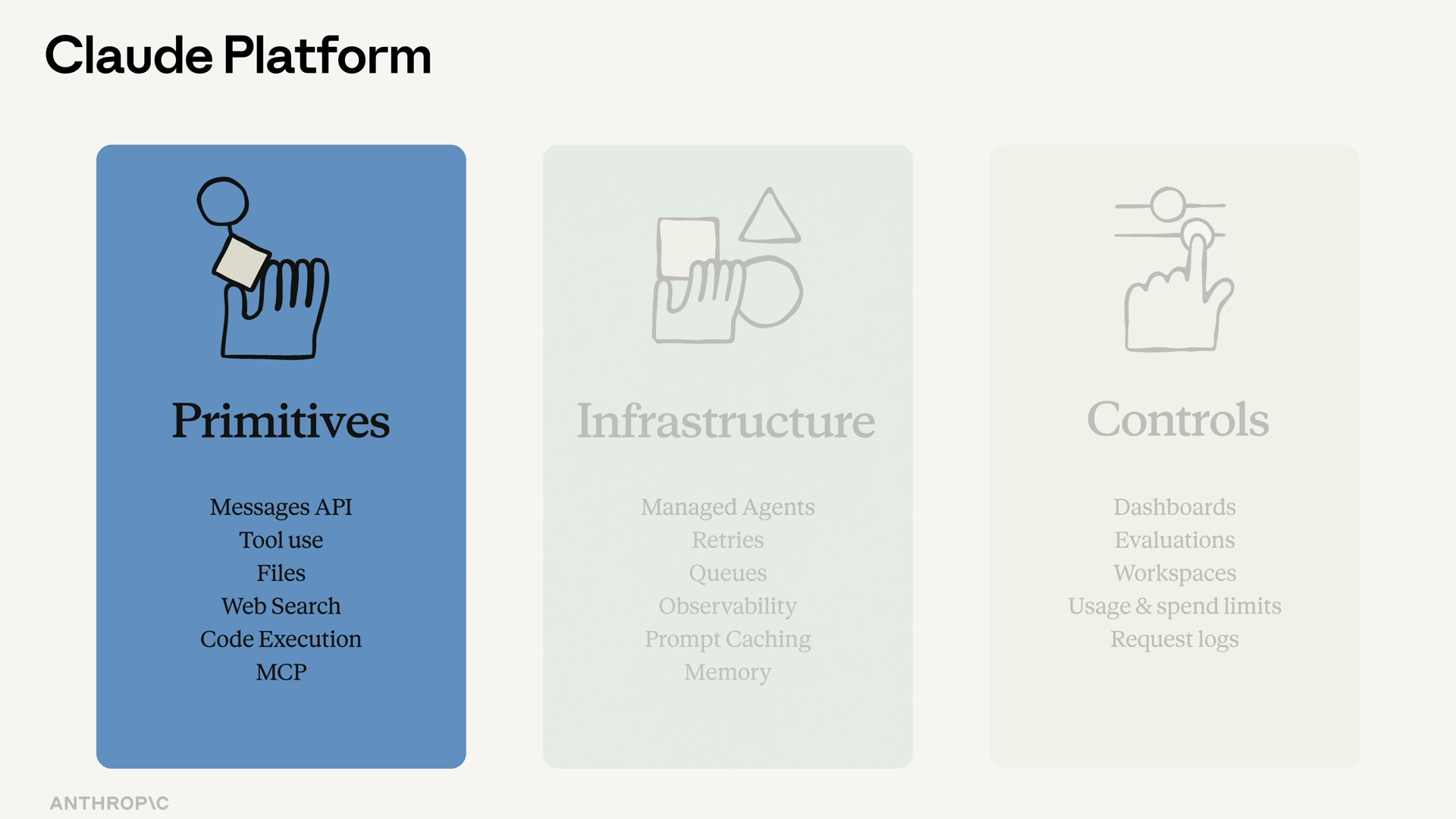
The shorthand: build with primitives, scale on infrastructure, run with control.
You can see this structure reflected in the Claude Console itself — it's where the infrastructure and control layers live, with sections for building, managing agents, and analytics.
A real example: drafting help desk replies
Say you manage a basic help desk app, and you've been asked to add a feature: draft a reply based on the contents of a ticket, following your team's tone and guidelines. You want to wire this up to a button in the UI.
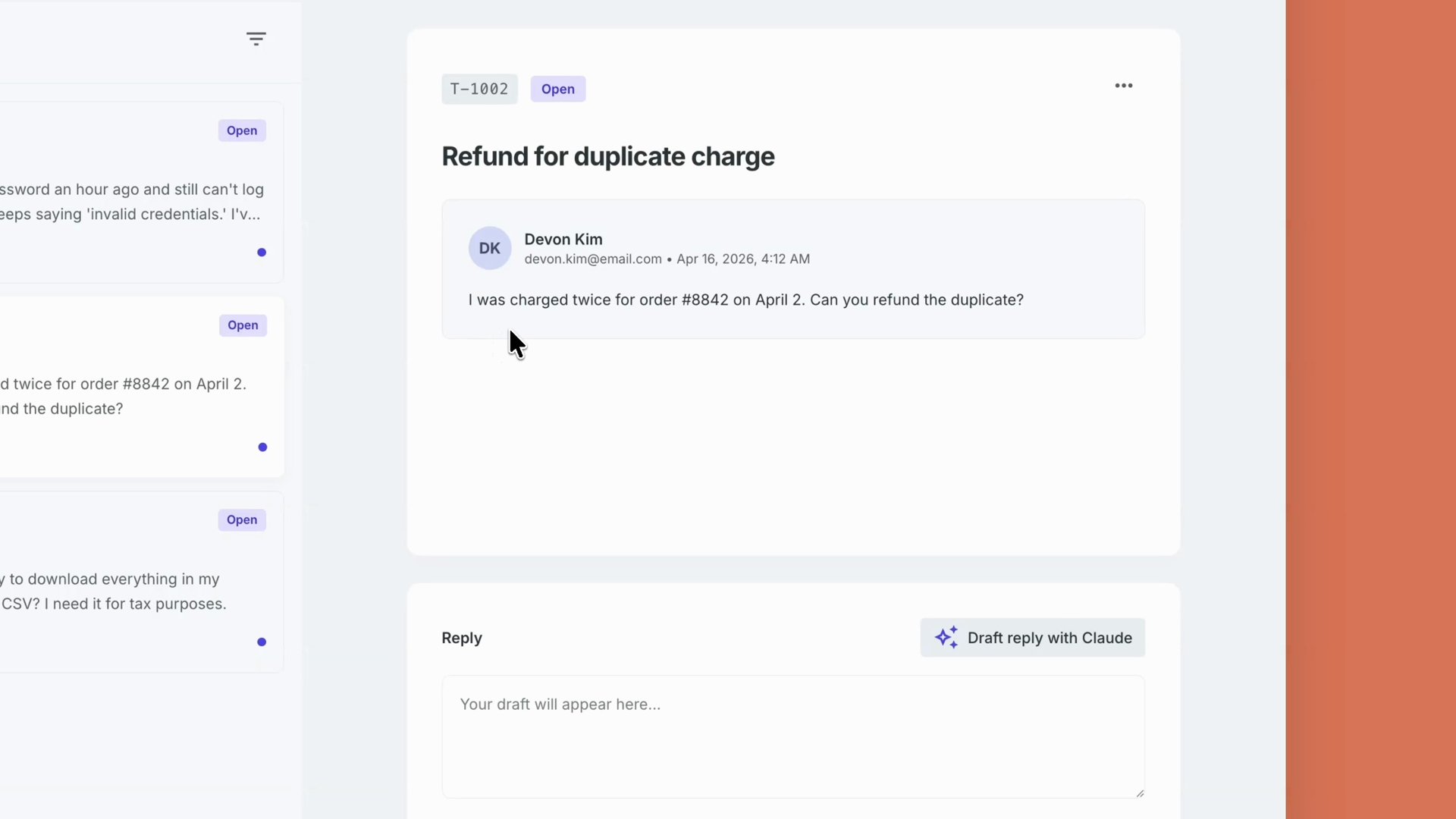
This is a perfect use case for the Messages API. The flow looks like this:
- Define a client
- Retrieve the ticket the chat refers to
- Call
messages.create - Return the response to the button to render
Each parameter does a specific job:
- model — which model handles the request. Here that's Haiku, since drafting a reply is a simple task.
- max_tokens — caps how long Claude's response can be.
- system — the system prompt, where you define the role Claude plays. The relevant tone and guidelines go here.
- messages — an array of objects. The
userrole tells Claude this is user input; the ticket content goes there.
Then you retrieve the response and return it to the button to render. Done.
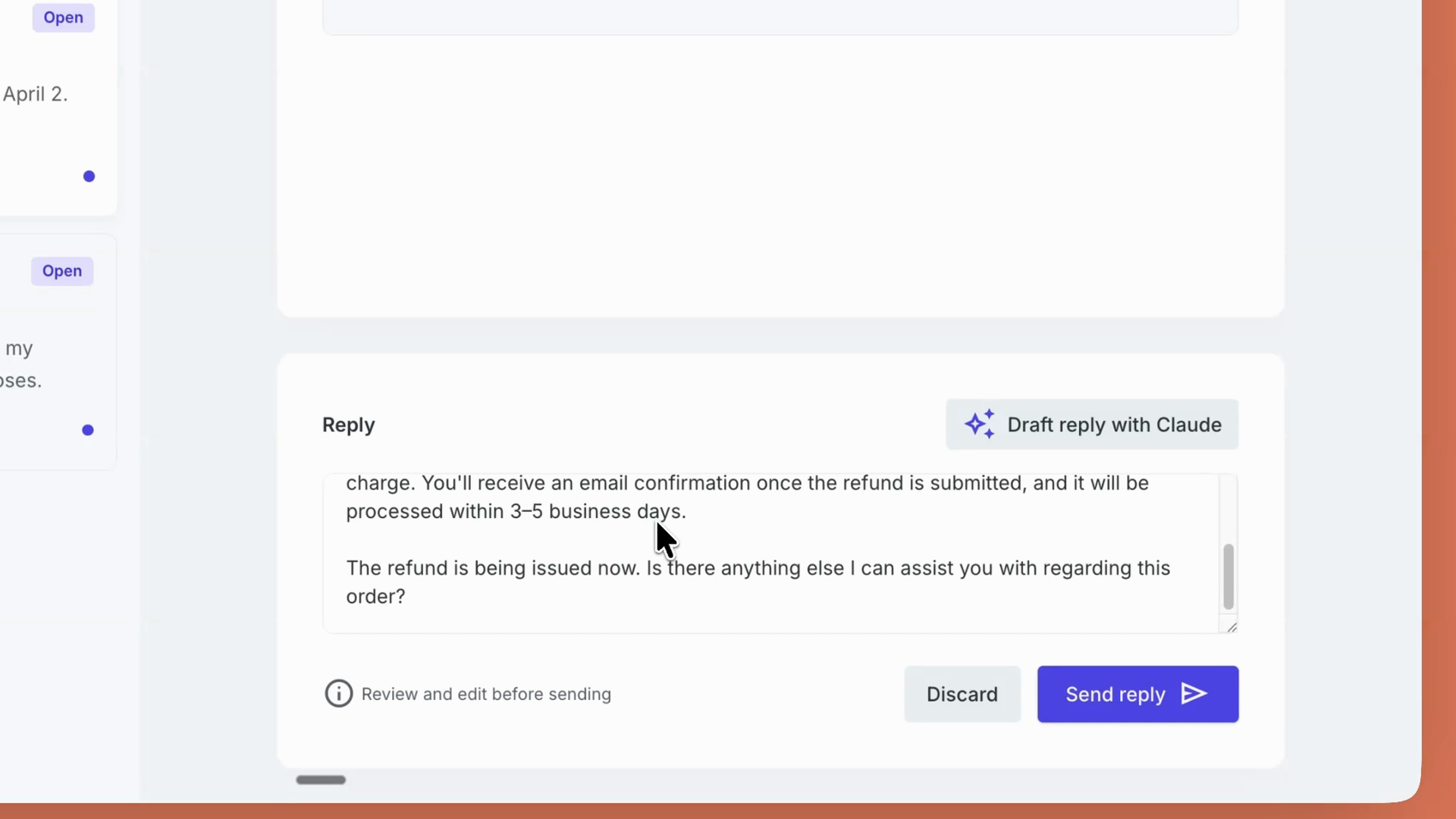
From "ask Claude a question" to "Claude is part of my product"
Notice what happened in that example: you're not building a chatbot from scratch. You're adding Claude into a product that already exists, and the API is how you wire it in.
That's the core idea. The Claude Platform is your API-level access to Claude's models, tools, and infrastructure. It's how you go from ask Claude a question to Claude is part of my product.
And when your product needs agents, the platform doesn't just hand you the model. With managed agents, it runs them for you.
Recap
- The Claude Platform is Anthropic's infrastructure for building with Claude programmatically: a REST API, SDKs, CLIs, and a console for keys, usage, managed agents, and prompt testing.
- Think of it as three layers: primitives (Messages API, tool use, files, web search, code execution, MCP servers, skills), infrastructure (managed agents, retries, queues, observability), and controls (dashboards, evals).
- The shorthand: build with primitives, scale on infrastructure, run with control.
- A single
messages.createcall gives you full control over the model, response length, system prompt, and user input — enough to wire Claude into an existing feature like drafting help desk replies. - The platform takes you from asking Claude questions to making Claude part of your product — and with managed agents, it can run your agents for you.