Building with Claude Code
Writing code that calls the Claude API by hand works fine, but there's an even faster path: have Claude write it for you. In this lesson, we'll use Claude Code to fill in an API integration from a stubbed-out file — using the same primitives you've learned throughout this course.
한국어 대본
- 00:00Claude API를 호출하는 코드를 손으로 작성해도 괜찮지만, 더 빠른 방법이 있습니다.
- 00:08Claude가 대신 작성하도록 하세요.
- 00:12간단한 프로젝트에 날씨 정보를 가져오는 TypeScript 파일이 있습니다.
- 00:15스텁이 두 개 있습니다.
- 00:17먼저 도시를 받아 온도와 상태를 반환하는 get weather가 있습니다,
- 00:21그리고 tool runner와 Claude TypeScript SDK를 사용하려는 run 함수가 있습니다.
- 00:26tool runner가 도구 호출과 에이전트 루프를 대신 처리합니다.
- 00:30Claude Code에는 Claude API라는 기본 제공 스킬이 함께 제공됩니다.
- 00:34슬래시 Claude API를 사용해 직접 호출할 수 있습니다.
- 00:37또는 TypeScript SDK를 사용하고 있다고 감지하면 자동으로 호출합니다.
- 00:41그래도 보이지 않으면 슬래시 plugin, marketplace, add를 실행할 수 있습니다,
- 00:45anthropics, 슬래시 skills를 실행하세요. anthropic 끝에 S가 붙는다는 점을 고려해야 합니다.
- 00:52이제 터미널에서 프로젝트 폴더를 열고 Claude Code를 실행합니다.
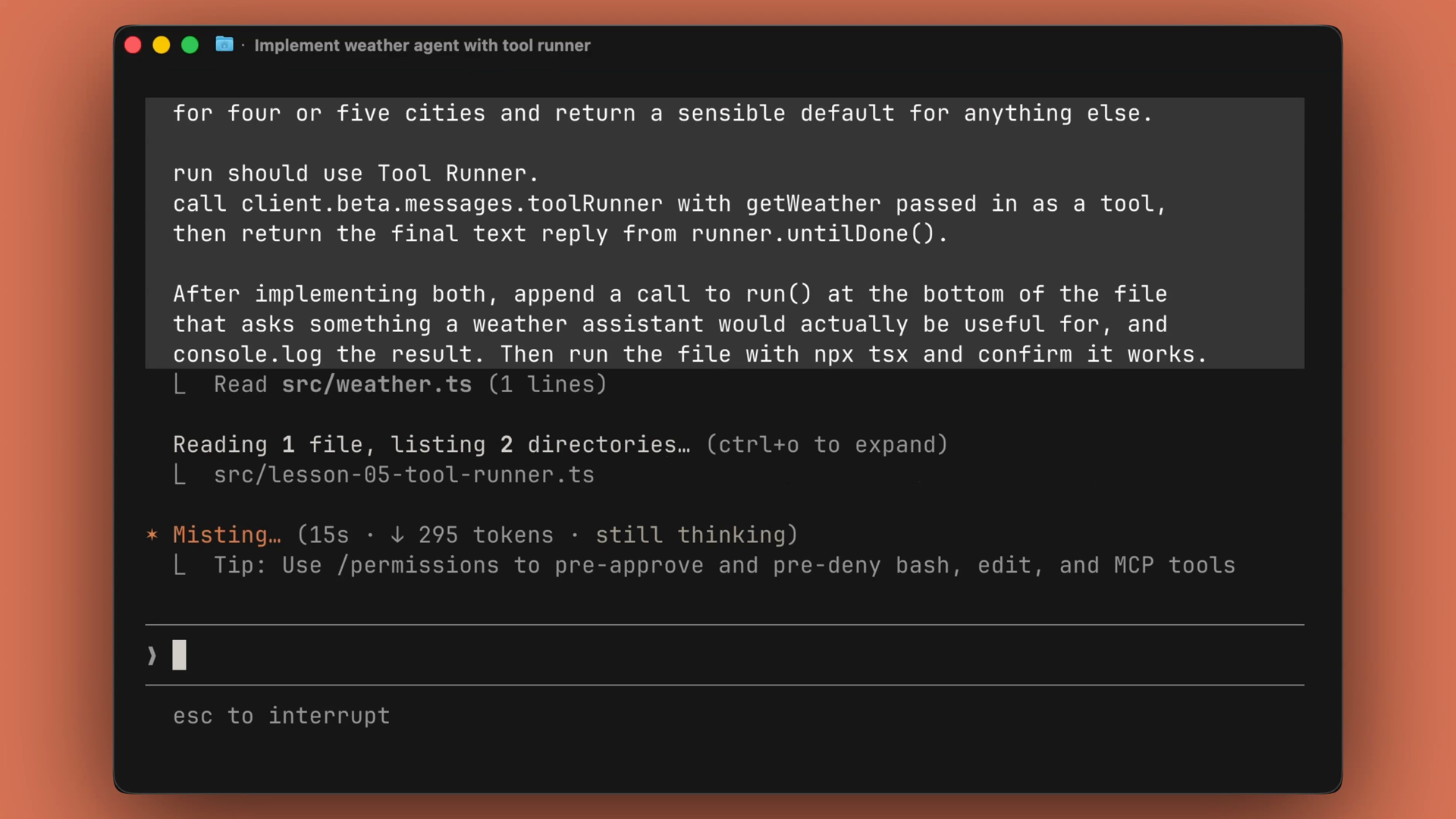
- 00:55그런 다음 이 프롬프트 하나를 입력합니다.
- 00:58프롬프트에 파일 이름, 패턴, 최종 상태를 명시합니다.
- 01:02그러면 Claude Code가 타입을 기준으로 get weather와 run을 채웁니다.
- 01:05맨 아래에 호출을 추가하고, 스크립트를 실행한 뒤 출력 결과를 보고합니다.
- 01:09무언가에서 오류가 발생하면 오류 메시지를 읽고 제자리에서 수정합니다.
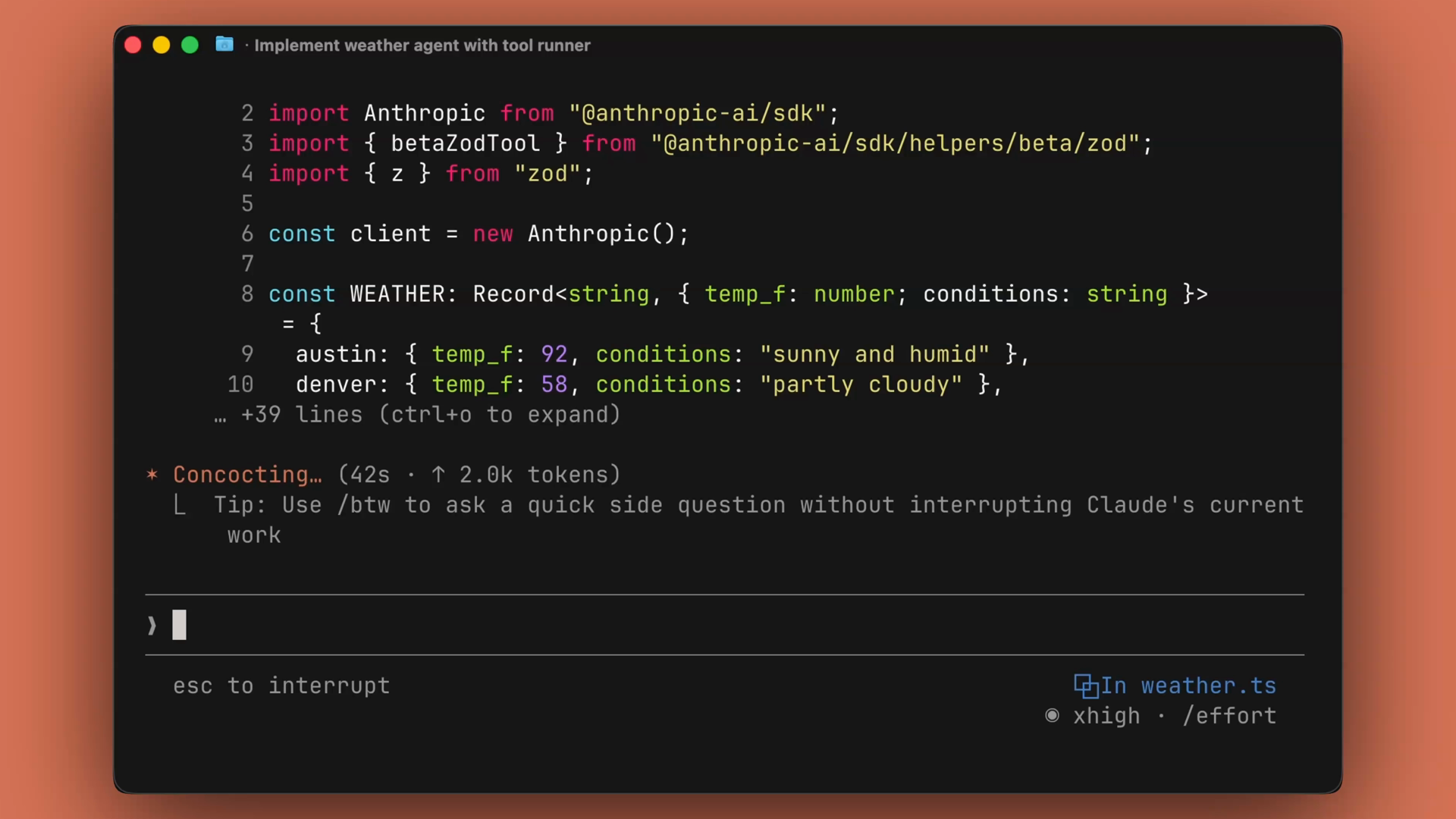
- 01:13Claude Code가 입력을 파싱하고 도시 타입에 따라 출력을 반환하는 ZOD 도구를 만들었습니다.
- 01:20또한 요청한 대로 run 함수에 tool runner를 만들고, 에이전트 루프의 최종 결과를 출력했습니다.
- 01:27Claude API용으로 작성하는 코드 대부분은 익숙한 형태를 띱니다.
- 01:31도구를 정의하고, runner에 전달한 다음, 결과를 반환합니다.
- 01:34매번 기억해서 입력할 필요는 없습니다.
- 01:37파일을 스텁으로 만든 다음 Claude Code에 넘기고, diff만 검토하세요.
- 01:43Claude Code는 터미널 안에서 파일을 수정하고 명령을 실행하는 에이전트입니다.
- 01:47프로젝트에서 Claude를 실행하고 원하는 파일과 패턴을 명시한 프롬프트를 제공하세요.
Starting from a stub
The project is simple: a TypeScript file that gets weather. It contains two stubs:
- getWeather — accepts a city and returns the temperature and conditions.
- run — a function that should use the tool runner and the Claude TypeScript SDK.
The tool runner is the piece that handles tool calling and the agent loop for you, so you don't have to wire that up manually.
The Claude API skill
Claude Code comes with a built-in skill called Claude API. You can invoke it directly with /claude-api, or Claude Code will invoke it automatically when it detects that you're using the TypeScript SDK.
One prompt, working code
Open the project folder in your terminal and launch Claude Code.
From there, it takes a single prompt. A good prompt does three things:
- It names the file you want changed.
- It names the pattern you want used.
- It names the end state you expect.
Claude Code then fills in getWeather and run against the types, appends a call at the bottom of the file, executes the script, and reports the output. If something errors out, it reads the error message and patches the code in place.
What Claude Code produced
In this run, Claude Code created a Zod tool that parsed the input and returned the output based on the city type. It also created the tool runner and the run function we asked for, and printed the final results of the agent loop.
The pattern to remember
Most of what you write against the Claude API has a familiar shape:
- Define a tool.
- Hand it to a runner.
- Return the result.
You don't need to type that from memory every single time. Instead, stub the file, hand it to Claude Code, and just review the diff.
Recap
- Claude Code is an agent that edits files and runs commands inside your terminal.
- The built-in Claude API skill loads automatically when Claude Code detects the TypeScript SDK, or you can invoke it with
/claude-api. - Give it a prompt that names the file, the pattern, and the end state — it writes the code, runs it, and fixes errors in place.
- Claude API code follows a familiar shape: define a tool, hand it to a runner, return the result. Stub it, delegate it, review the diff.