Skills
Skills are folders of instructions, scripts, and resources that Claude
loads dynamically to improve performance on specialized tasks. At the core
of every Skill is a SKILL.md file — a packaged set of instructions you
upload once and then attach to any messages.create call. You're teaching
Claude how you do something: your status report format, your review
checklist, your release notes. Claude reads the Skill, follows the
procedure, and produces output in your shape.
한국어 대본
- 00:00Skills는 Claude가 동적으로 불러오는 지침, 스크립트, 리소스가 담긴 폴더입니다.
- 00:07특화된 작업에서 성능을 개선하기 위해서입니다.
- 00:10그리고 이러한 skills를 에이전트 루프에 통합하는 것은 쉽습니다.
- 00:15skill은 패키지로 묶인 지침 세트, skill.md 파일, 선택적으로 보조 파일로 구성되며,
- 00:20한 번 업로드한 다음 어떤 messages.create 호출에도 첨부할 수 있습니다.
- 00:24Claude에게 무언가를 하는 방법, 상태 보고서 형식, 검토 체크리스트,
- 00:29릴리스 노트를 가르칩니다. Claude는 skill을 읽고 절차를 따르며 지정한 형식에 맞는 결과물을 생성합니다.
- 00:35하지만 skill과 tool의 차이를 아는 것이 중요합니다. Tool은 Claude를 데이터와 작업에 연결합니다. 예를 들어,
- 00:40이 코드 섹션을 찾아보고, 이 이메일을 보내세요. Claude가 그것을 호출하면 다른 무언가가 실행됩니다. Skills는
- 00:45Claude에게 절차를 가르칩니다. 이 템플릿에 따라 일일 상태 보고서를 생성하세요. 그것은 플레이북입니다.
- 00:50Claude는 그것을 읽고 따르며, 때로는 번들 스크립트를 직접 실행하기도 합니다. Tool은
- 00:54Claude가 할 수 있는 일에 관한 것인 반면, skills는 원하는 방식에 관한 것입니다. 그리고 고려해야 할 점은
- 00:59skills도 시작 시 모든 것을 컨텍스트에 로드하지 않는다는 것입니다. 이름과 설명만 로드합니다.
- 01:04그래서 에이전트가 skill을 사용할 시기를 결정하면, 그때 skill을 컨텍스트에 로드합니다.
- 01:11Skills는 작업 공간에 한 번 업로드된 다음 ID로 참조됩니다. 이것을
- 01:15Claude 플랫폼에 직접 업로드하거나, 제가 여기서 한 것처럼 프로그래밍 방식으로 할 수 있습니다. 이제 저는
- 01:24상태 보고서 생성기를 원합니다. 좋은 상태 보고서를 만드는 규칙, 섹션, 톤, 요약 방법,
- 01:29요약, 차단 항목, 제가 미리 패키징한 skill에 있습니다. 활동 로그 자체는
- 01:34제가 전달하는 문자열입니다. 몇 가지 짚고 넘어갈 점은 client.beta.messages.create를 호출하고 있다는 것입니다.
- 01:41표준 호출이 아니라 skills를 betas 헤더에 전달한다는 점입니다. 이 영상 기준으로 skills는
- 01:47아직 베타 기능입니다. Container.skills는 skill이 연결되는 곳으로, 여러 개의 skill을 겹쳐서 적용할 수 있는 목록입니다.
- 01:52skills를 하나의 호출에 적용할 수 있습니다. 그리고 저는 여기서 코드 실행도 켰습니다. Skills는 종종
- 01:57코드 실행과 잘 어울립니다. skill 절차가 터미널에서처럼 실제 작업을 수행할 수 있기 때문입니다. 그럼 실행해 봅시다.
- 02:04결과물은 skill이 지정한 형식 그대로 포맷된 상태 보고서입니다. 섹션,
- 02:10톤, 차단 항목 처리, 모두 사용자가 업로드한 skill.md 파일에서 비롯됩니다. 사용자 프롬프트
- 02:15한 줄입니다. 절차는 skill에 있습니다. 그래서 프로덕션 앱에서 팀이
- 02:20전체 기능에 걸쳐 출력을 표준화하는 방법입니다. 따라서 이 일일 상태 보고서 엔드포인트를 사용하면 모든
- 02:25PM이 동일한 구조, 동일한 톤, 동일한 순서의 동일한 섹션을 얻으며, 아무도
- 02:29템플릿을 프롬프트에 복사하여 붙여넣지 않아도 됩니다. Skills는 절차를 패키지로 묶습니다. 다음을 사용하여 한 번 업로드하세요:
- 02:39client.beta.skills.create 엔드포인트, container.skills를 사용하여 모든 messages.create 호출에 첨부하고,
- 02:45그런 다음 '어떻게'가 '무엇'만큼 중요할 때 사용하세요.
- 02:50사용자
Skills vs. tools
It's worth being clear on the difference, because the two solve different problems:
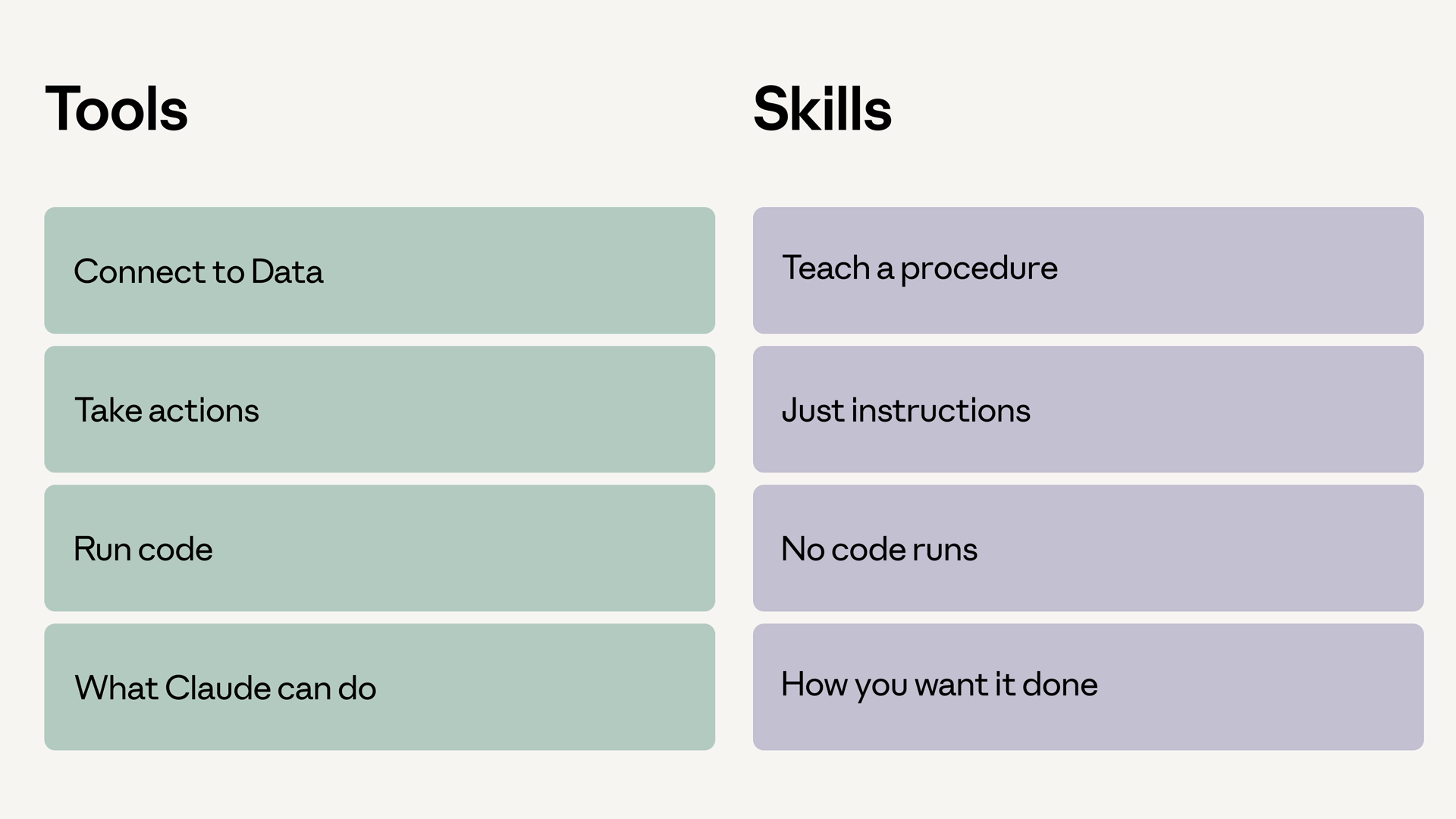
- Tools connect Claude to data and actions. "Look up this code section," "send this email" — Claude calls the tool, and something else runs.
- Skills teach Claude a procedure. "Generate the daily status report following this template" — it's a playbook Claude reads and follows, which sometimes means running bundled scripts itself.
A simple way to remember it: tools are about what Claude can do, while Skills are about how you want it done.
One more thing worth knowing: Skills don't load fully into context on startup. Only the name and description load at first. When your agent decides a Skill is relevant, it then loads the full Skill into context. That keeps your context lean even when many Skills are available.
Uploading a Skill
Skills are uploaded once to your workspace, then referenced by ID. You can upload directly on the Claude Platform, or do it programmatically:
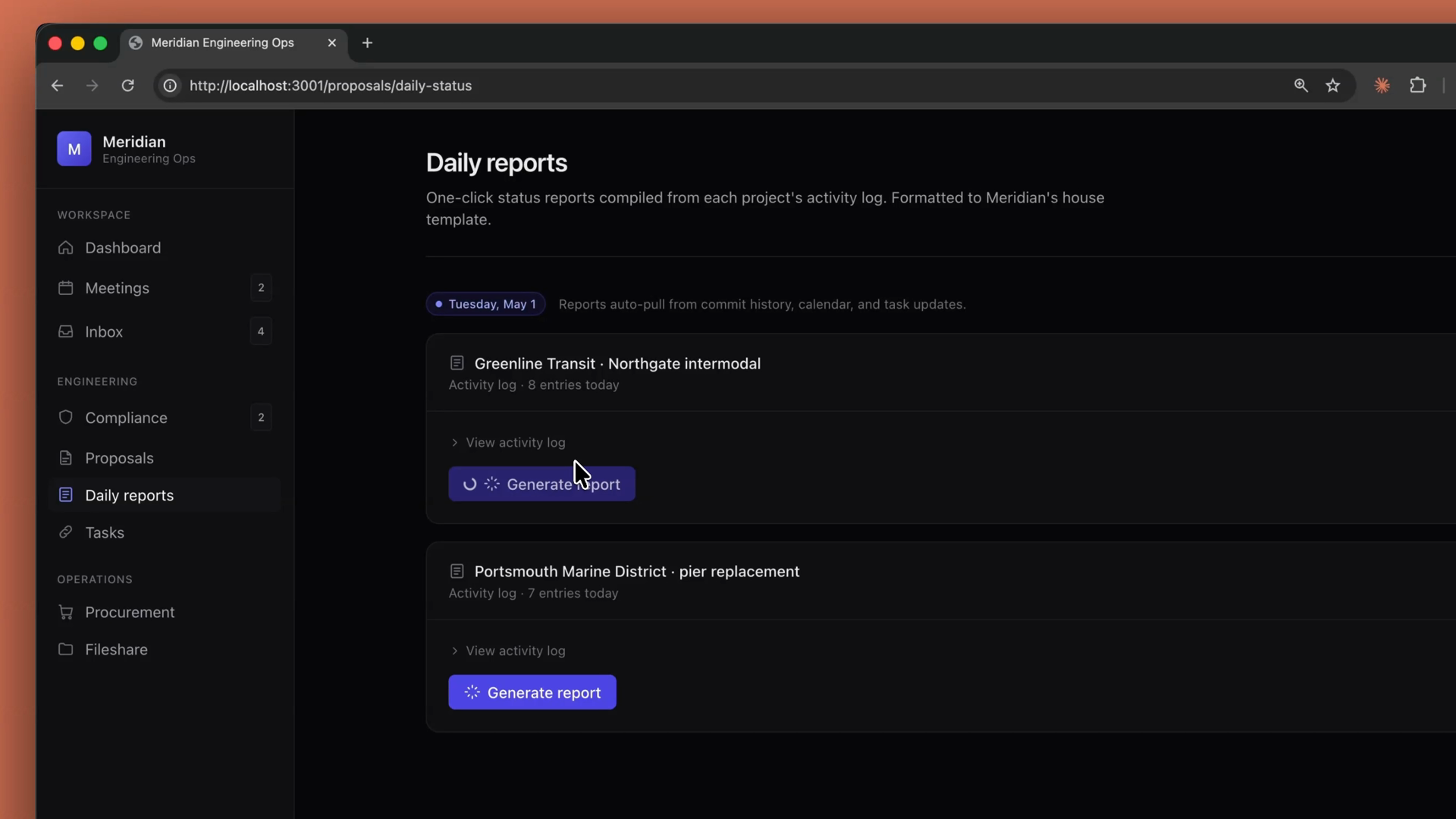
For this example, I want a status report generator. All the rules for what makes a good status report — sections, tone, how to summarize, how to handle blockers — live in a Skill packaged ahead of time. The activity log itself is just a string passed in at request time.
Attaching a Skill to a request
Skills attach to a request through the container configuration — a skills array inside the container, where each entry names a skill_id and version. Here's the full call for the status report generator:
A few things worth pointing out:
- We're calling
client.beta.messages.create, not the standard one, and passing the skills feature via the beta header. As of this video, Skills are still a beta feature. container.skillsis where the Skill attaches. It's a list, so you can layer multiple Skills onto one call.- Code execution is turned on here too. It's required: on the API, Skills run inside the code execution tool's container, which is what lets Skill procedures do real work — like running scripts in a terminal.
Running it
The output is a status report formatted exactly the way the Skill says to format it. Sections, tone, blocker handling — all of it comes from the SKILL.md file you uploaded. The user prompt is one line; the procedure lives in the Skill.
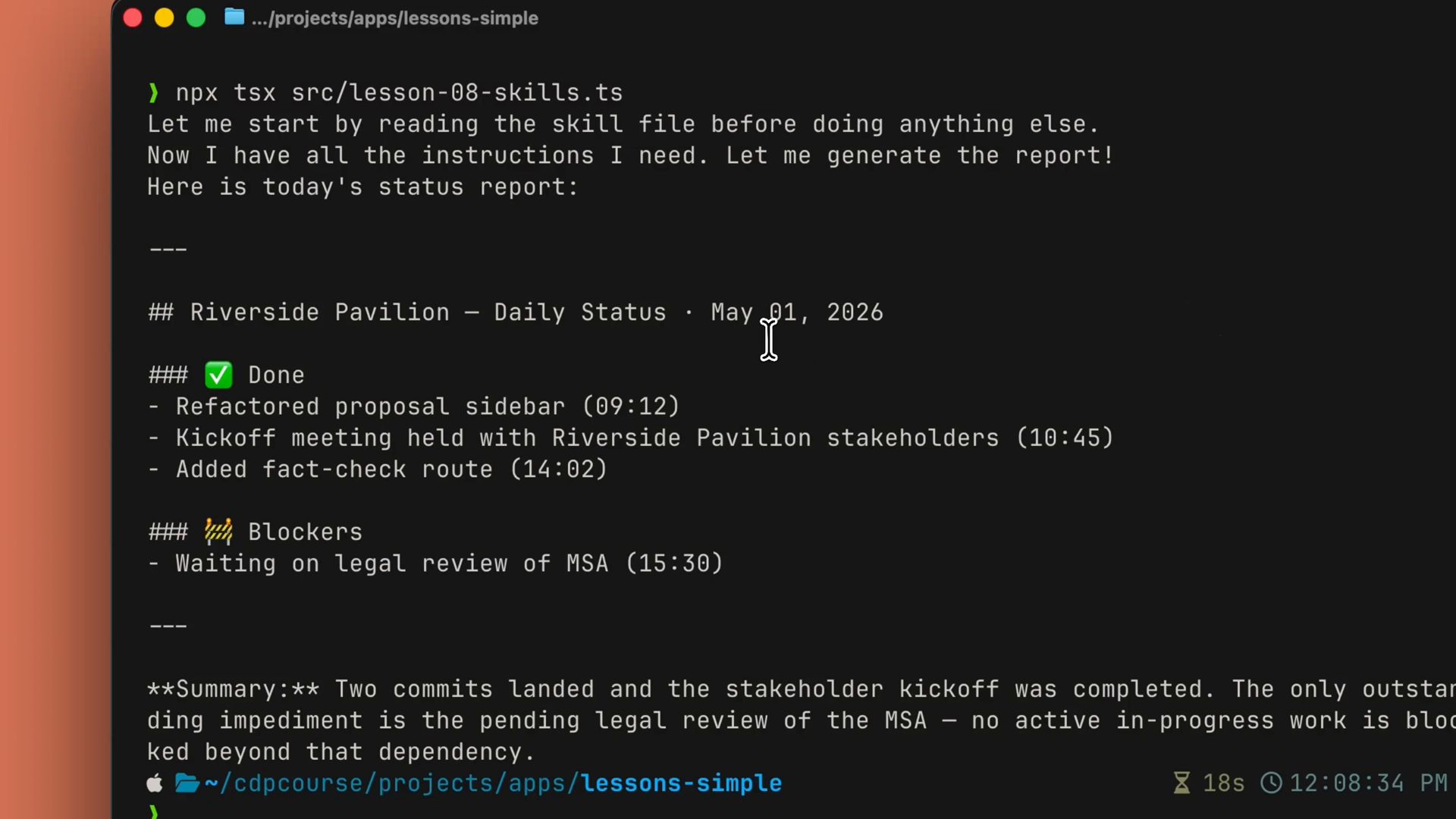
In a production app, this is how a team standardizes output across an entire feature. With this daily status report endpoint, every PM gets the same structure, the same tone, the same sections, in the same order — without anyone copy-pasting a template into a prompt.
Recap
- Skills package your procedures. A
SKILL.mdfile (plus any scripts and resources) teaches Claude how you want something done. - Tools vs. Skills: tools are about what Claude can do; Skills are about how you want it done.
- Skills load progressively. Only the name and description load at startup; the full Skill loads into context when the agent decides to use it.
- Upload once with
client.beta.skills.create, then attach withcontainer.skillson anymessages.createcall — a list, so you can layer multiple Skills. - Pair with code execution when the Skill's procedure needs to do real work.
- Reach for a Skill when the how matters as much as the what.