Claude의 비전 기능을 사용하면 메시지에 이미지를 포함하고 Claude에게 정교한 방식으로 이미지를 분석하도록 요청할 수 있습니다. Claude에게 이미지 내용을 설명하거나, 여러 이미지를 비교하거나, 객체를 세거나, 복잡한 시각적 분석 작업을 수행하도록 요청할 수 있습니다.
이미지 처리 기본 사항
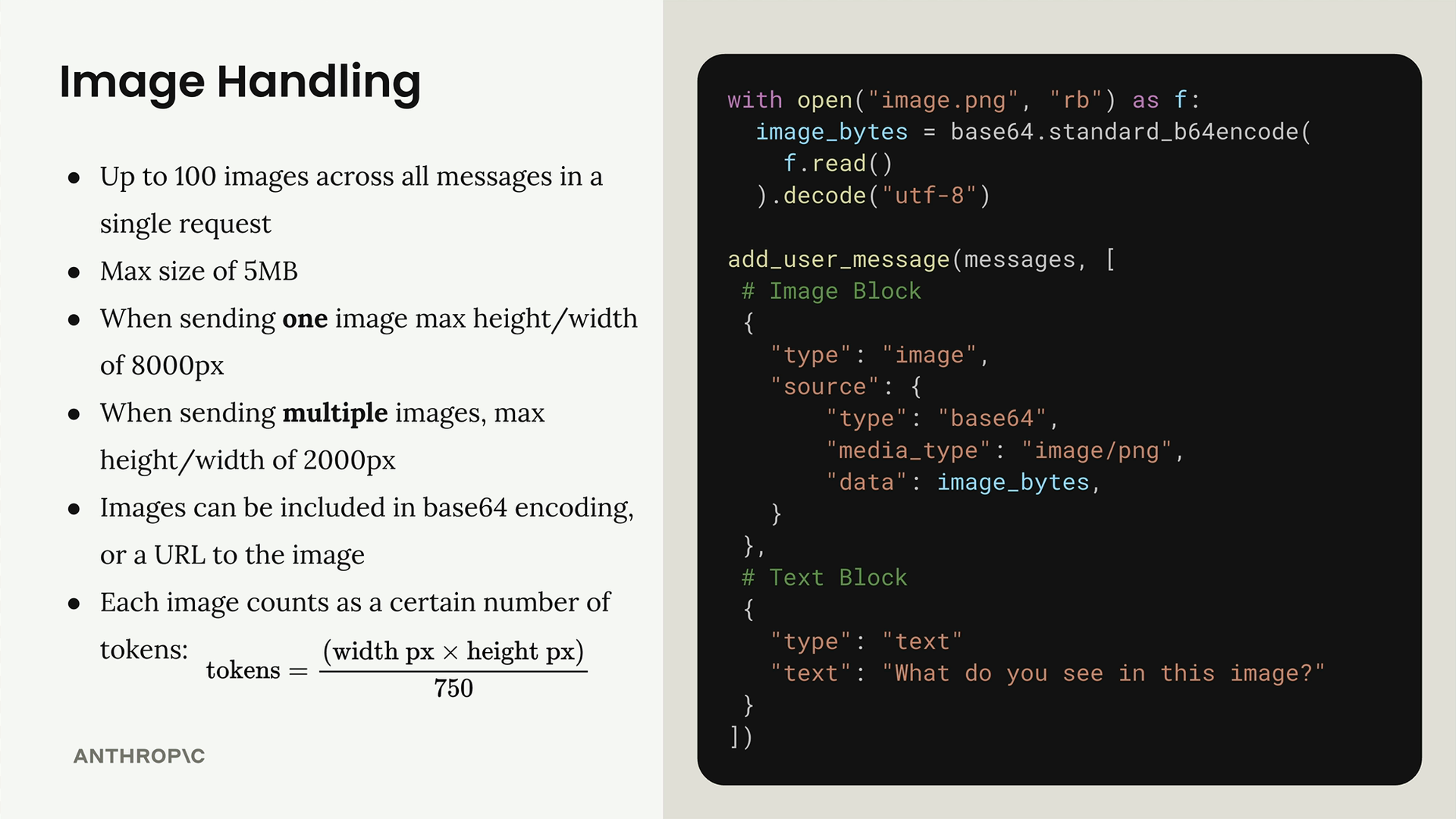
Claude에서 이미지를 다룰 때는 몇 가지 주요 제한 사항을 이해해야 합니다:
- 단일 요청의 모든 메시지에서 최대 100개의 이미지
- 이미지당 최대 크기 5MB
- 이미지 하나를 전송할 때: 최대 높이/너비 8000px
- 여러 이미지를 전송할 때: 최대 높이/너비 2000px
- 이미지는 base64 인코딩 또는 이미지 URL로 포함할 수 있습니다
- 각 이미지는 크기에 따라 토큰으로 계산됩니다:
tokens = (width px × height px) / 750
이미지를 포함하려면 사용자 메시지에 텍스트 블록과 함께 이미지 블록을 추가합니다. 구조는 다음과 같습니다:
메시지 흐름
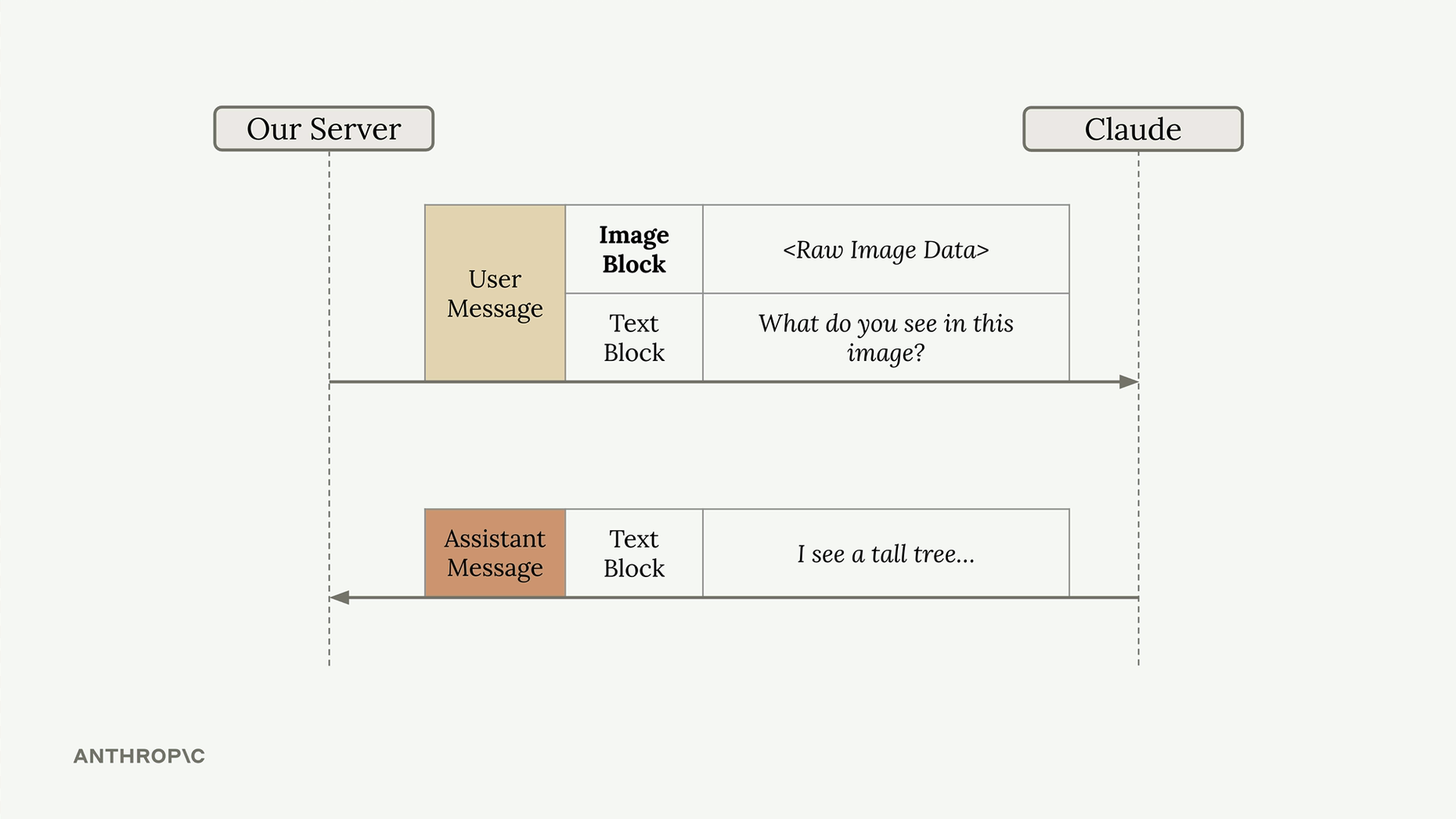
대화는 텍스트 전용 상호작용과 동일하게 작동합니다. 서버는 이미지와 텍스트 블록을 모두 포함하는 사용자 메시지를 Claude에게 전송하고, Claude는 이미지를 분석하는 텍스트 메시지로 응답합니다.
프롬프팅 기법
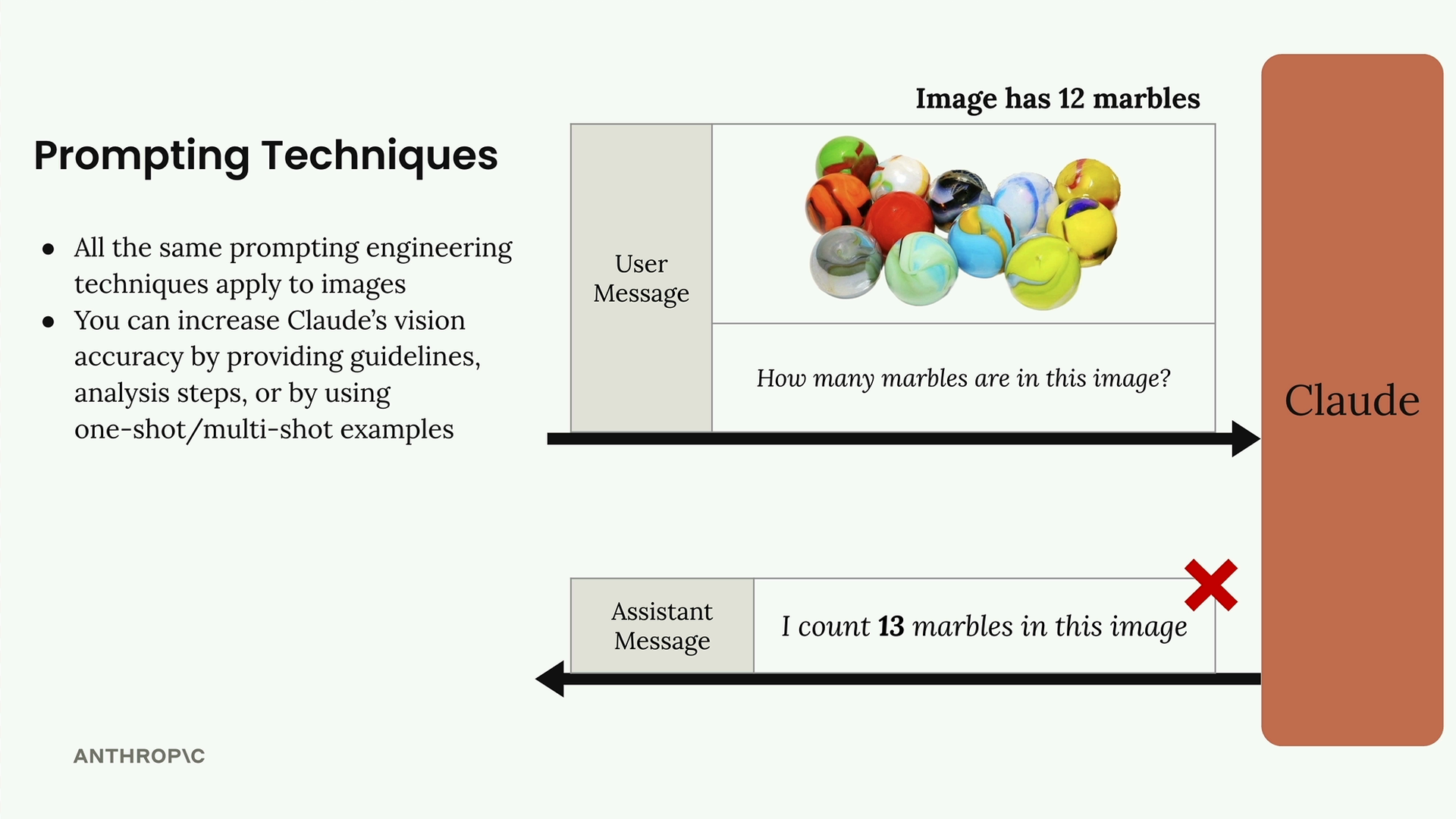
Claude의 비전 기능에 대해 이해해야 할 가장 중요한 점은 좋은 프롬프팅 기법이 절대적으로 중요하다는 것입니다. 단순한 프롬프트는 명확한 이미지에서도 종종 좋지 않은 결과를 만들어냅니다.
예를 들어, 12개의 구슬이 있는 이미지에 대해 "이 이미지에 구슬이 몇 개 있나요?"라고 물으면 13개라는 잘못된 개수를 반환할 수 있습니다. 텍스트에 사용하는 것과 동일한 프롬프트 엔지니어링 기법을 적용하면 정확도를 크게 향상시킬 수 있습니다:
- 상세한 가이드라인과 분석 단계 제공
- 원샷 또는 멀티샷 예시 사용
- 복잡한 작업을 더 작은 단계로 분해
단계별 분석
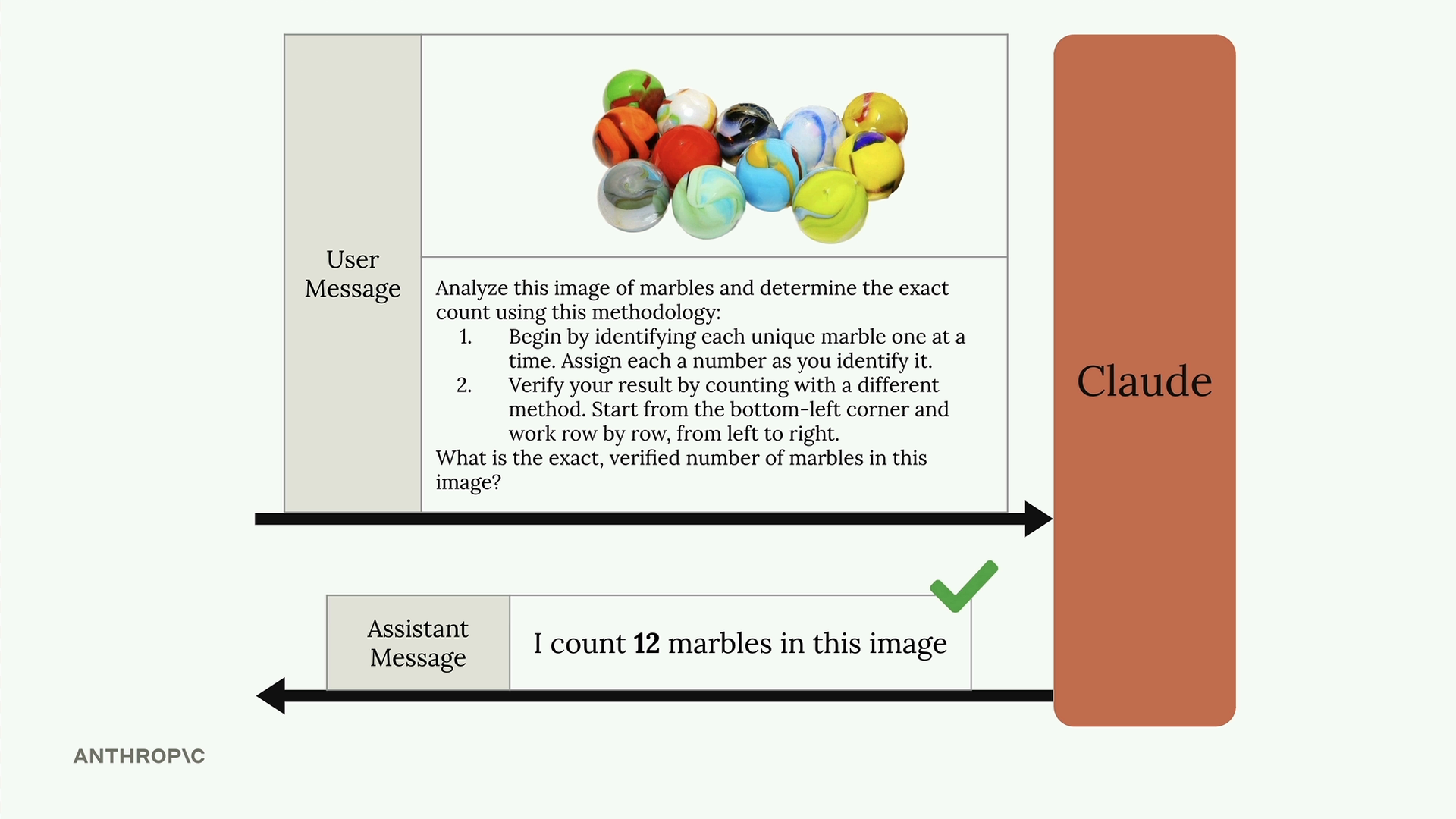
단순한 질문 대신 Claude에게 방법론을 제공하세요:
Analyze this image of marbles and determine the exact count using this methodology:
1. Begin by identifying each unique marble one at a time. Assign each a number as you identify it.
2. Verify your result by counting with a different method. Start from the bottom-left corner and work row by row, from left to right.

What is the exact, verified number of marbles in this image?이러한 구조화된 접근 방식은 Claude가 12개라는 정확한 개수를 얻는 데 도움이 됩니다.
원샷 예시
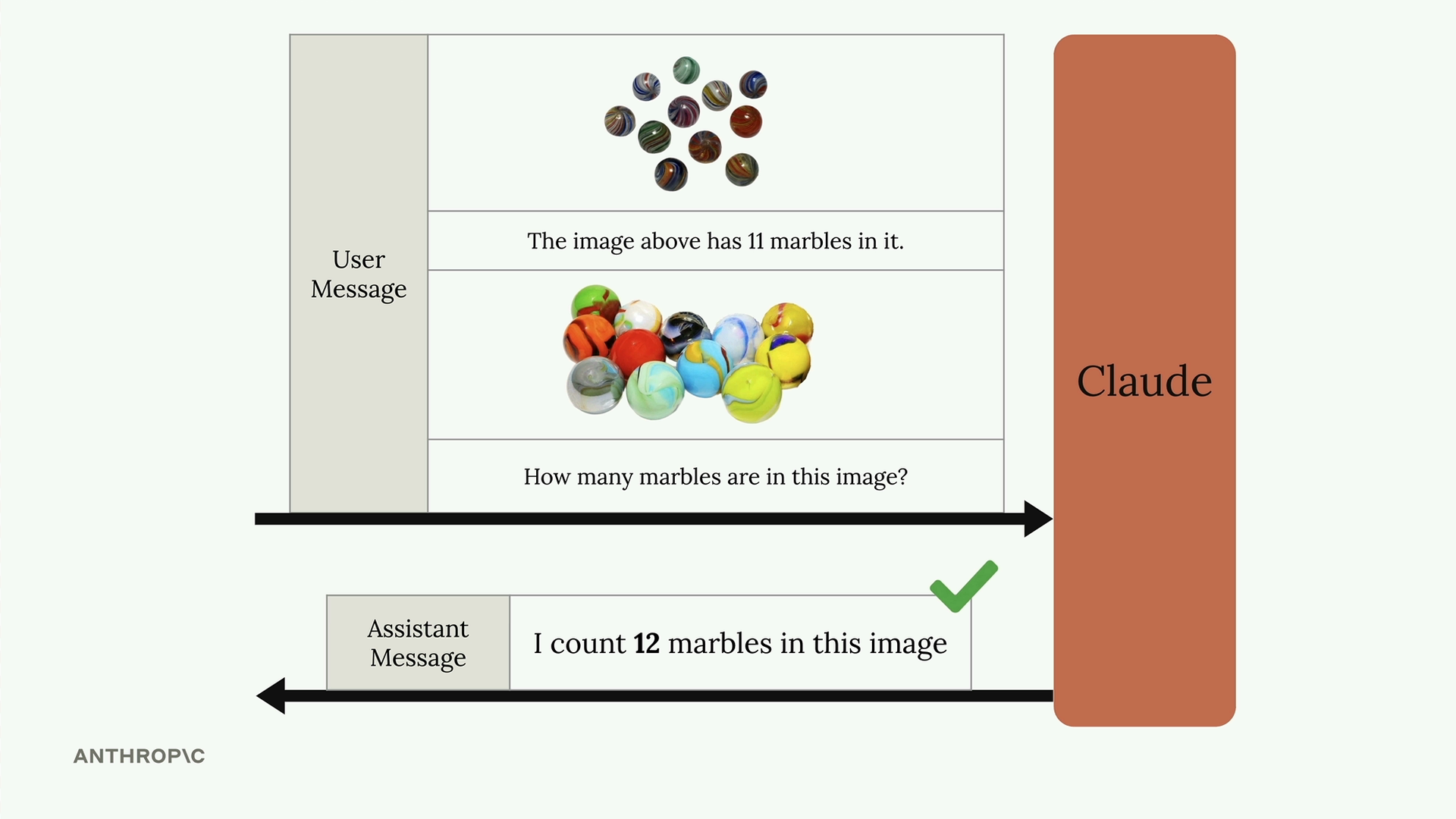
단일 메시지에 여러 이미지-텍스트 쌍을 포함하여 원샷 프롬프팅을 사용할 수도 있습니다:
[Image of 11 marbles]
The image above has 11 marbles in it.

[Image of 12 marbles]
How many marbles are in this image?예시를 제공하면 대상 이미지에 대한 Claude의 정확도가 크게 향상됩니다.
실제 사례: 화재 위험 평가
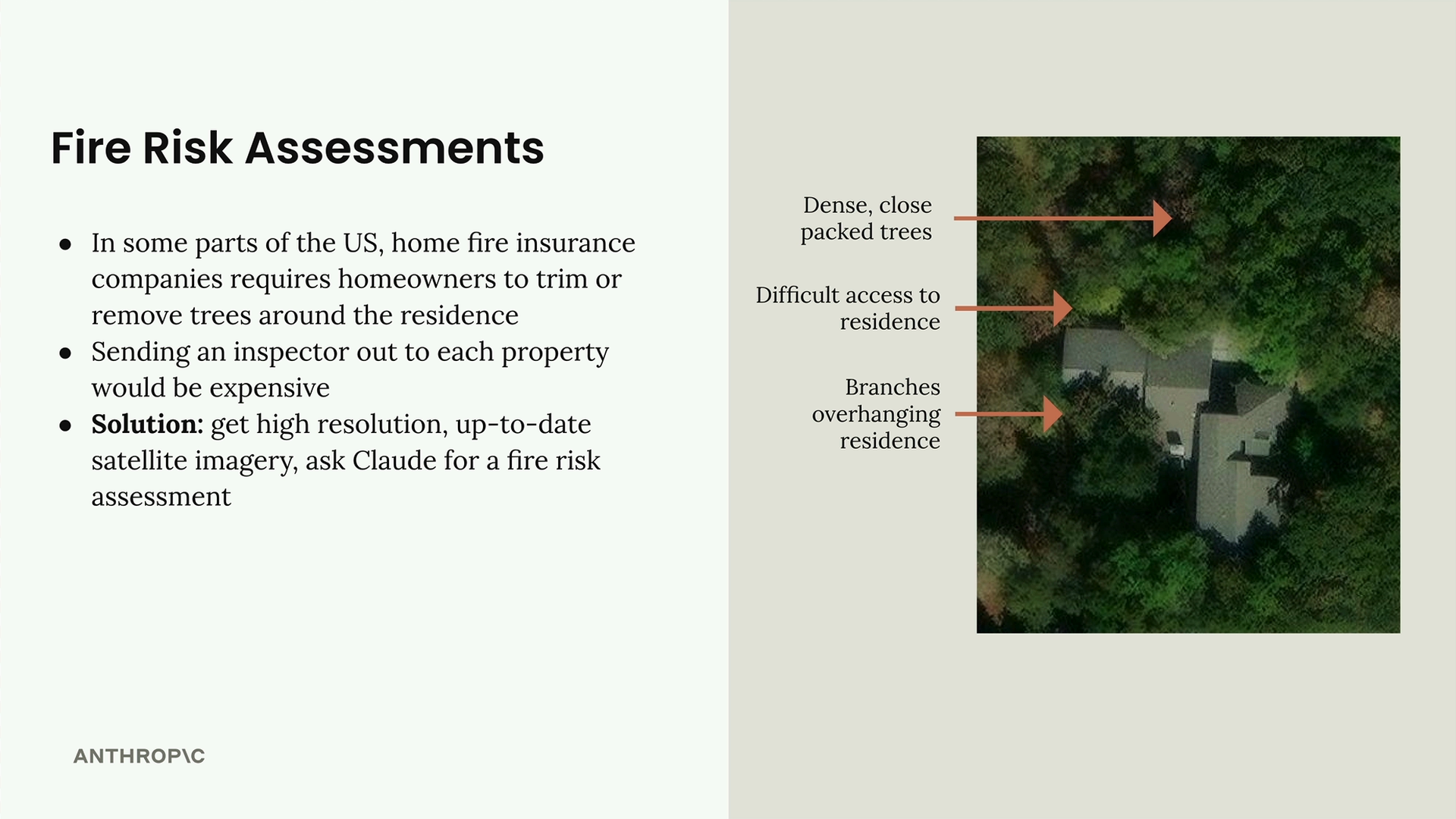
다음은 실용적인 적용 사례입니다: 주택 보험을 위한 화재 위험 평가 자동화입니다. 보험 회사는 산불 위험을 줄이기 위해 주택 소유자에게 부지 주변의 나무를 다듬도록 요구하는 경우가 많습니다. 각 부지에 조사관을 보내는 대신, 위성 이미지와 Claude를 사용할 수 있습니다.
이 시스템은 위성 이미지를 분석하여 다음을 식별합니다:
- 주택 근처에 밀집된 나무
- 응급 서비스의 접근이 어려운 경로
- 주택 위로 뻗은 나뭇가지
"화재 위험 점수를 제공하세요"와 같은 단순한 프롬프트 대신, 상세한 분석 프레임워크를 만듭니다:
Analyze the attached satellite image of a property with these specific steps:

1. Residence identification: Locate the primary residence on the property by looking for:
   - The largest roofed structure
   - Typical residential features (driveway connection, regular geometry)
   - Distinction from other structures (garages, sheds, pools)

2. Tree overhang analysis: Examine all trees near the primary residence:
   - Identify any trees whose canopy extends directly over any portion of the roof
   - Estimate the percentage of roof covered by overhanging branches (0-25%, 25-50%, 50-75%, 75%+)
   - Note particularly dense areas of overhang

3. Fire risk assessment: For any overhanging trees, evaluate:
   - Potential wildfire vulnerability (ember catch points, continuous fuel paths to structure)
   - Proximity to chimneys, vents, or other roof openings if visible
   - Areas where branches create a "bridge" between wildland vegetation and the structure

4. Defensible space identification: Assess the property's overall vegetative structure:
   - Identify if trees connect to form a continuous canopy over or near the home
   - Note any obvious fuel ladders (vegetation that can carry fire from ground to tree to roof)

5. Fire risk rating: Based on your analysis, assign a Fire Risk Rating from 1-4:
   - Rating 1 (Low Risk): No tree branches overhanging the roof, good defensible space around
   - Rating 2 (Moderate Risk): Minimal overhang (<25% of roof), some separation between tree canopies
   - Rating 3 (High Risk): Significant overhang (25-50% of roof), connected tree canopies, multiple points of vulnerability
   - Rating 4 (Severe Risk): Extensive overhang (>50% of roof), dense vegetation against structure

For each item above (1-5), write one sentence summarizing your findings, with your final response being the numerical rating.이 포괄적인 프롬프트는 Claude가 체계적인 분석을 수행하도록 안내하여 정확하고 실행 가능한 화재 위험 평가를 제공합니다. 나무가 많이 덮인 부지로 테스트했을 때, Claude는 구조물 주변의 상당한 나무 덮개와 연결된 수관으로 인해 이를 "3 (고위험)"으로 정확하게 식별했습니다.
핵심 요점은 Claude의 비전 기능이 강력하지만, 복잡한 작업에 사용하는 것과 동일한 신중한 프롬프트 엔지니어링이 필요하다는 것입니다. 단순한 질문에 의존하는 대신 상세하고 구조화된 프롬프트를 만드는 데 시간을 투자하세요.